描述 UI
React 是一个用于渲染用户界面(UI)的 JavaScript 库。UI 由按钮、文本和图片等小单元构成。React 让你可以把它们组合成可复用、可嵌套的 组件。从网站到手机应用,屏幕上的一切都可以拆分为组件。在本章中,你将学习如何创建、定制以及有条件地显示 React 组件。
In this chapter
你的第一个组件
React 应用由称为 组件 的独立 UI 片段构成。React 组件是一个可以穿插标记的 JavaScript 函数。组件可以小到一个按钮,也可以大到整个页面。下面是一个渲染三个 Profile 组件的 Gallery 组件:
function Profile() {
  return (
    <img
      src="https://react.dev/images/docs/scientists/MK3eW3As.jpg"
      alt="Katherine Johnson"
    />
  );
}

export default function Gallery() {
  return (
    <section>
      <h1>杰出的科学家</h1>
      <Profile />
      <Profile />
      <Profile />
    </section>
  );
}
import Profile from './Profile.js';

export default function Gallery() {
  return (
    <section>
      <h1>杰出的科学家</h1>
      <Profile />
      <Profile />
      <Profile />
    </section>
  );
}
使用 JSX 编写标记
每个 React 组件都是一个 JavaScript 函数,其中可能包含一些由 React 渲染到浏览器中的标记。React 组件使用一种名为 JSX 的语法扩展来表示这些标记。JSX 看起来很像 HTML,但它更严格一些,并且可以显示动态信息。
如果我们把已有的 HTML 标记粘贴到 React 组件中,它并不总是能正常工作:
export default function TodoList() {
  return (
    // 这不太行!
    <h1>Hedy Lamarr 的待办事项</h1>
    <img
      src="https://react.dev/images/docs/scientists/yXOvdOSs.jpg"
      alt="Hedy Lamarr"
      class="photo"
    >
    <ul>
      <li>Invent new traffic lights
      <li>Rehearse a movie scene
      <li>Improve spectrum technology
    </ul>
如果你已有这样的 HTML,可以使用一个 转换器 来修复它:
export default function TodoList() {
  return (
    <>
      <h1>Hedy Lamarr 的待办事项</h1>
      <img
        src="https://react.dev/images/docs/scientists/yXOvdOSs.jpg"
        alt="Hedy Lamarr"
        className="photo"
      />
      <ul>
        <li>Invent new traffic lights</li>
        <li>Rehearse a movie scene</li>
        <li>Improve spectrum technology</li>
      </ul>
    </>
  );
}
在 JSX 中使用花括号编写 JavaScript
JSX 让你可以在 JavaScript 文件中编写类似 HTML 的标记,从而将渲染逻辑和内容放在同一个地方。有时你会想在这些标记中添加一点 JavaScript 逻辑,或者引用某个动态属性。在这种情况下,你可以在 JSX 中使用花括号,向 JavaScript “打开一扇窗”:
const person = {
  name: 'Gregorio Y. Zara',
  theme: {
    backgroundColor: 'black',
    color: 'pink'
  }
};

export default function TodoList() {
  return (
    <div style={person.theme}>
      <h1>{person.name} 的待办事项</h1>
      <img
        className="avatar"
        src="https://react.dev/images/docs/scientists/7vQD0fPs.jpg"
        alt="Gregorio Y. Zara"
      />
      <ul>
        <li>Improve the videophone</li>
        <li>Prepare aeronautics lectures</li>
        <li>Work on the alcohol-fuelled engine</li>
      </ul>
    </div>
  );
}
向组件传递 props
React 组件使用 props 来彼此通信。每个父组件都可以通过给子组件传递 props,向它们提供一些信息。props 可能会让你联想到 HTML 属性,但你可以通过它们传递任何 JavaScript 值,包括对象、数组、函数,甚至 JSX!
import { getImageUrl } from './utils.js'

export default function Profile() {
  return (
    <Card>
      <Avatar
        size={100}
        person={{
          name: 'Katsuko Saruhashi',
          imageId: 'YfeOqp2'
        }}
      />
    </Card>
  );
}

function Avatar({ person, size }) {
  return (
    <img
      className="avatar"
      src={getImageUrl(person)}
      alt={person.name}
      width={size}
      height={size}
    />
  );
}

function Card({ children }) {
  return (
    <div className="card">
      {children}
    </div>
  );
}
条件渲染
你的组件通常需要根据不同条件显示不同内容。在 React 中,你可以使用 JavaScript 语法如 if 语句、&& 和 ? : 运算符来有条件地渲染 JSX。
在这个例子中,使用 JavaScript 的 && 运算符来有条件地渲染一个对勾:
function Item({ name, isPacked }) {
  return (
    <li className="item">
      {name} {isPacked && '✅'}
    </li>
  );
}

export default function PackingList() {
  return (
    <section>
      <h1>Sally Ride 的打包清单</h1>
      <ul>
        <Item
          isPacked={true}
          name="Space suit"
        />
        <Item
          isPacked={true}
          name="Helmet with a golden leaf"
        />
        <Item
          isPacked={false}
          name="Photo of Tam"
        />
      </ul>
    </section>
  );
}
渲染列表
你经常会希望从一组数据中显示多个相似的组件。你可以将 JavaScript 的 filter() 和 map() 与 React 一起使用,把数据数组筛选并转换为组件数组。
对于每个数组项,你都需要指定一个 key。通常,你会希望使用数据库中的 ID 作为 key。即使列表发生变化,key 也能让 React 追踪列表中每一项的位置。
import { people } from './data.js';
import { getImageUrl } from './utils.js';

export default function List() {
  const listItems = people.map(person =>
    <li key={person.id}>
      <img
        src={getImageUrl(person)}
        alt={person.name}
      />
      <p>
        <b>{person.name}:</b>
        {' ' + person.profession + ' '}
        擅长 {person.accomplishment}
      </p>
    </li>
  );
  return (
    <article>
      <h1>科学家</h1>
      <ul>{listItems}</ul>
    </article>
  );
}
将组件保持纯净
一些 JavaScript 函数是纯函数。纯函数:
- 只处理自己的事情。 它不会更改在调用之前已存在的任何对象或变量。
- 相同的输入,相同的输出。 给定相同的输入,纯函数应始终返回相同的结果。
通过严格地只将组件编写为纯函数,你可以避免随着代码库增长而出现的一整类令人困惑的 bug 和不可预测的行为。下面是一个不纯组件的示例:
let guest = 0;

function Cup() {
  // 糟糕:正在修改一个已存在的变量!
  guest = guest + 1;
  return <h2>给第 #{guest} 位客人的茶杯</h2>;
}

export default function TeaSet() {
  return (
    <>
      <Cup />
      <Cup />
      <Cup />
    </>
  );
}
你可以通过传递 prop,而不是修改一个已存在的变量,来让这个组件变成纯函数:
function Cup({ guest }) {
  return <h2>给第 #{guest} 位客人的茶杯</h2>;
}

export default function TeaSet() {
  return (
    <>
      <Cup guest={1} />
      <Cup guest={2} />
      <Cup guest={3} />
    </>
  );
}
你的 UI 是一棵树
React 使用树来表示组件和模块之间的关系。
React 渲染树是组件之间父子关系的一种表示。
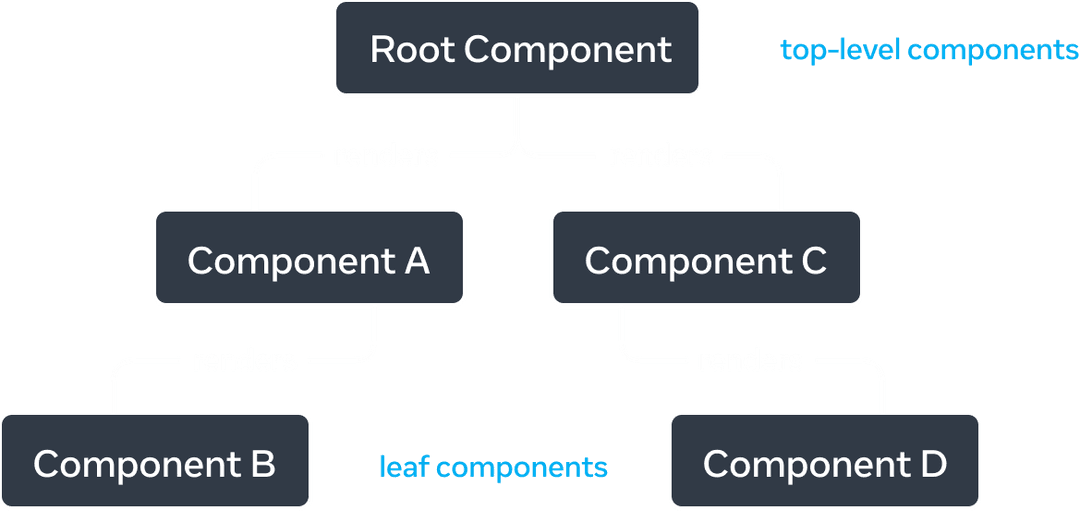
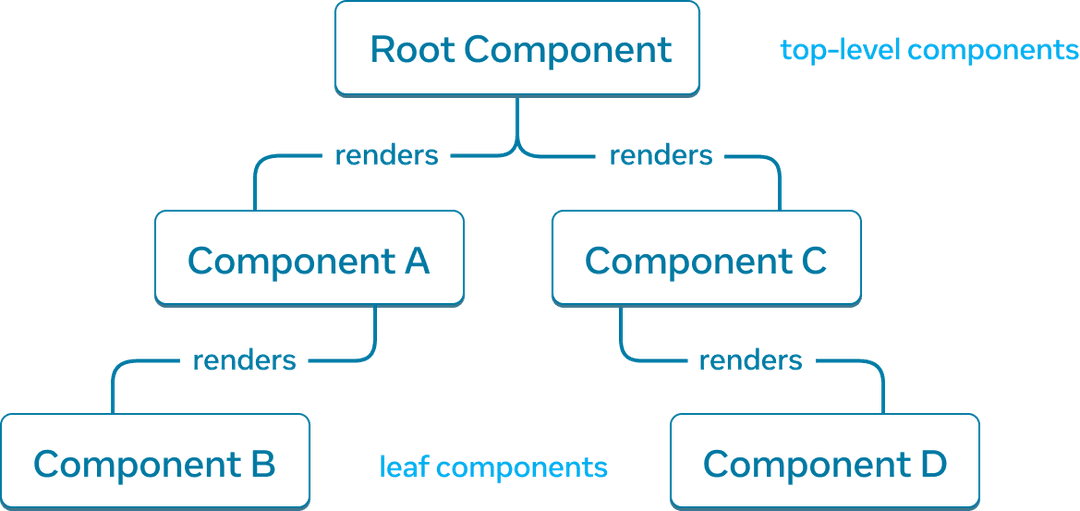
一个 React 渲染树示例。
树顶部、靠近根组件的组件被视为顶层组件。没有子组件的组件是叶子组件。这种对组件的分类有助于理解数据流和渲染性能。
将 JavaScript 模块之间的关系建模,是理解你的应用的另一种有用方式。我们将其称为模块依赖树。
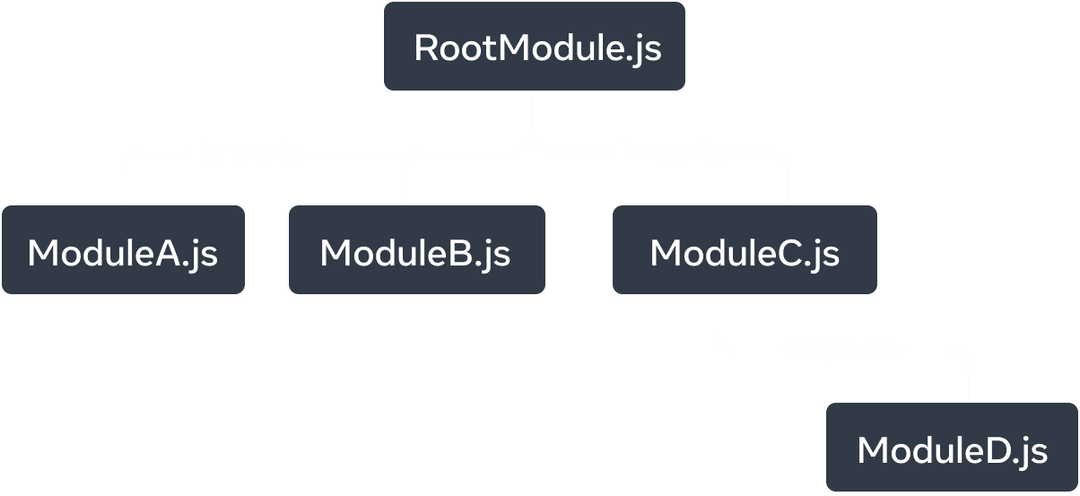
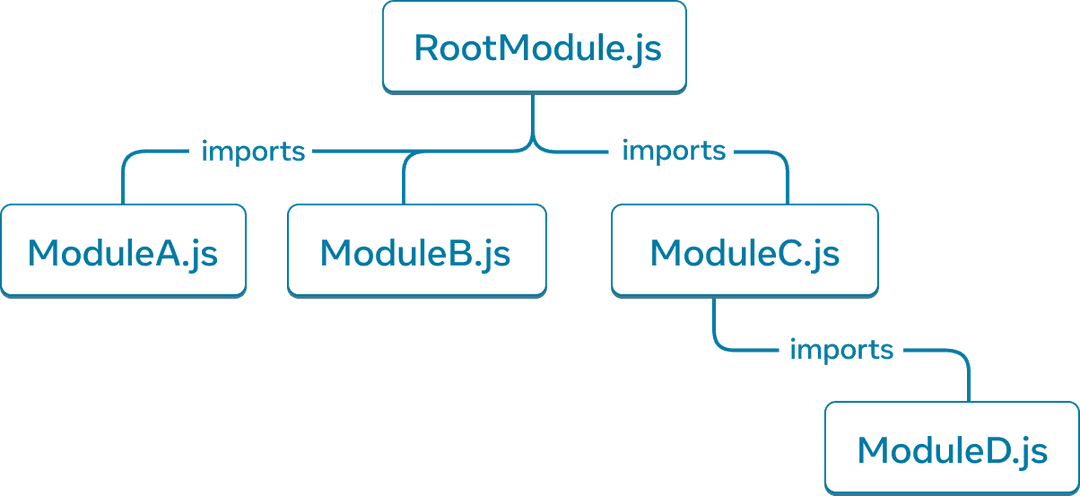
一个模块依赖树示例。
构建工具通常会使用依赖树来把客户端下载和渲染所需的所有相关 JavaScript 代码打包在一起。过大的 bundle 会降低 React 应用的用户体验。理解模块依赖树有助于调试这类问题。
Ready to learn this topic?
阅读 Your UI as a Tree,了解如何为 React 应用创建渲染树和模块依赖树,以及它们如何作为改进用户体验和性能的有用心智模型。
Read More接下来是什么?
前往 Your First Component,开始逐页阅读本章节!
或者,如果你已经熟悉这些主题,为什么不继续阅读 Adding Interactivity 呢?